POLONO
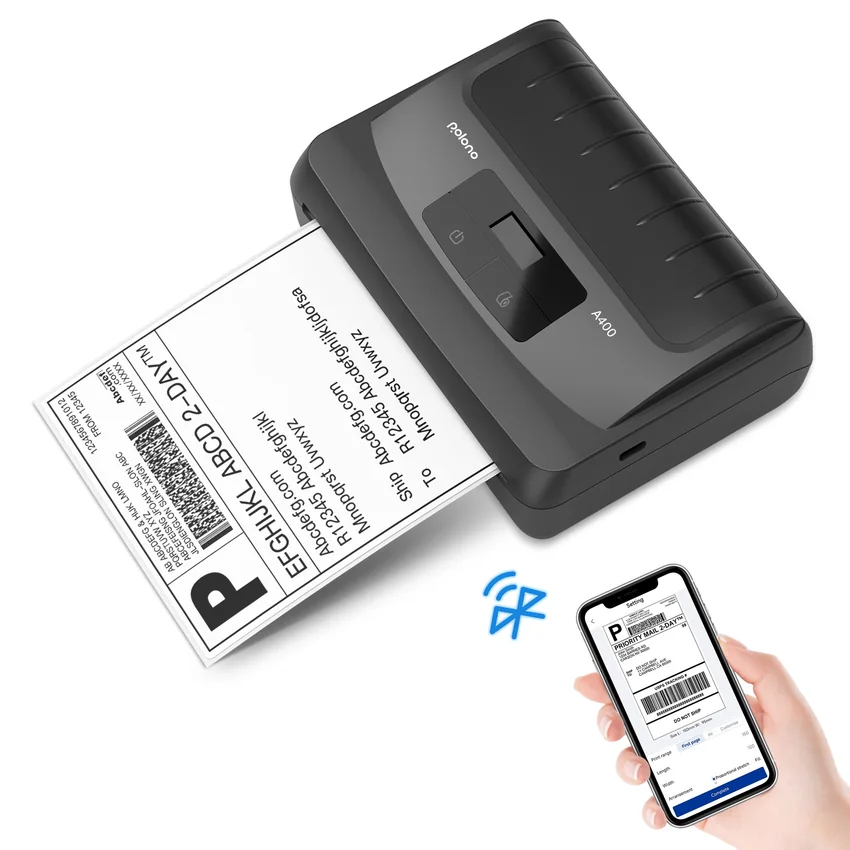
POLONO A400
A compact choice for occasional parcel shipments and small packing tables.
- Label format4 × 6 in
- Label feedInternal roll compartment
POLONO makes thermal printers for several tasks, including shipping labels, small organization labels, and portable documents. For a small packing desk, the A400 is worth looking at if you prefer a printer that holds its own label roll. Check the roll dimensions before ordering supplies, and confirm how you will connect from your phone or computer. If you already use an external roll or a stack of fanfold labels, compare the paper feed and space requirements with the other shipping printers in this catalog.
A compact choice for occasional parcel shipments and small packing tables.
Choose the A400 if the compact roll compartment fits the stock you intend to keep at the desk. Check roll size and choose the connection before buying refills.
The A400 can stay on your shortlist while you compare currently available options.
For the POLONO A400, follow the manufacturer’s USB setup guide. Power the printer on and use a cable that carries data. Confirm your macOS version against the driver instructions and choose the correct label size when printing.
Use the app identified in the A400 phone setup instructions. Turn on Bluetooth, select the printer in the app, and import the label file. The steps for a computer can differ from the steps for an iPhone or Android phone.
Start with power, label loading, and the connection shown in POLONO’s troubleshooting guidance for your exact model. On a computer, confirm the driver and selected printer. On a phone, check the app connection and the size of the document.
The POLONO A400 is the model covered here for 4 × 6 shipping. It has an internal roll compartment and a direct thermal printhead. Verify roll dimensions before ordering supplies.
The POLONO Driver & User Manual page organizes support by model. Match the name on the printer to the correct section and use the installation path for your device.